A connected sale
The deal, proposal, contract, invoices, acts and project are linked. Each document is built from the previous one, and the CRM suggests the next step.
Sales, documents and money, projects, support and a client portal in one system. The assistant finds clients, creates deals and tasks, and drafts emails and proposals on its own, while personal data is replaced with placeholders before any text reaches the model.
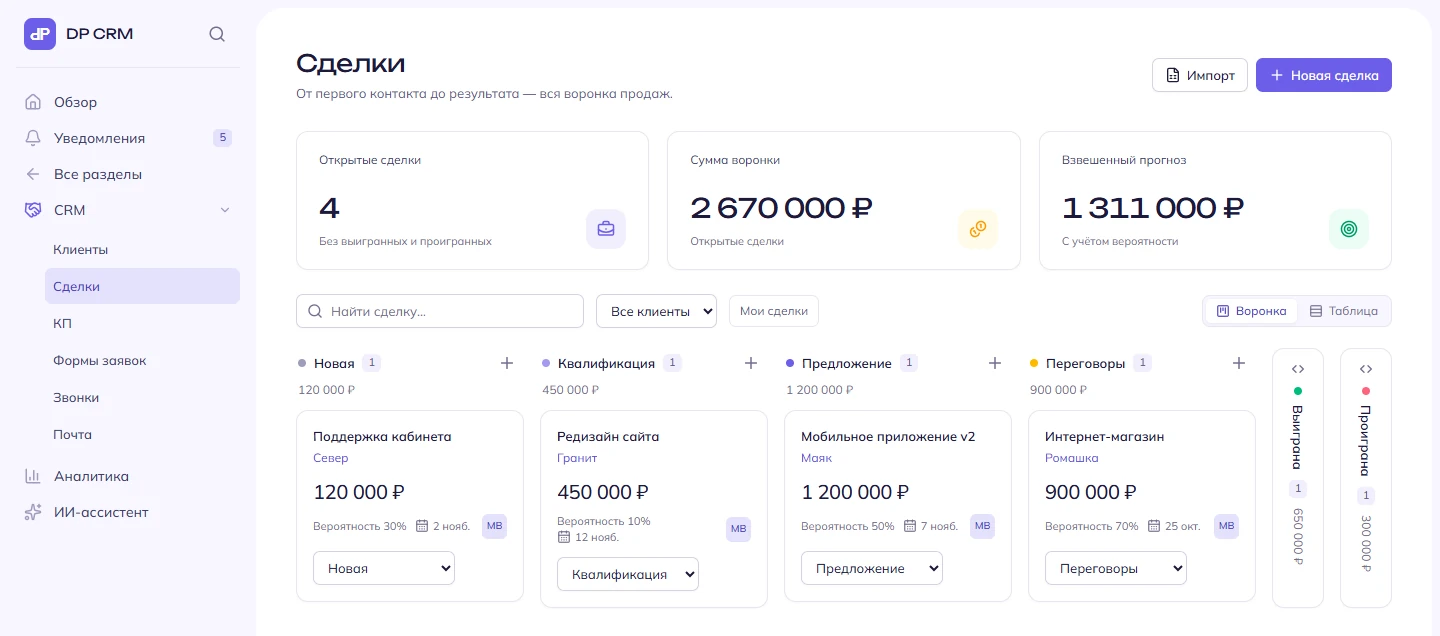
The deal, proposal, contract, invoices, acts and project are linked. Each document is built from the previous one, and the CRM suggests the next step.
The client opens the proposal from a link and accepts it on the page. The deal is marked as won, and invoices are created for each payment stage.
It finds clients, creates deals and tasks, and drafts emails and proposals. It never sees personal data: our own masking model hides it first.
Modules are switched on per company. Disabled ones disappear from the interface, so your team only sees what it uses.
Documents are linked: each one is built from the previous one, and at every step the CRM suggests what to do next.
Turn on what your company needs now and add the rest when you need it.
The assistant runs on DeepSeek and acts on its own: it finds clients, creates deals and tasks, and drafts emails and proposals. But the model never sees your clients' personal data.
Find Anna Smirnova, phone +7 900 000-00-00, and set a task to call her tomorrow
Find [PER_1], phone [PHONE_1], and set a task to call her tomorrow
Done: found Anna Smirnova and set a task for tomorrow to call +7 900 000-00-00.
An example with made-up data. Masking is on by default; the placeholder table lives only in server memory for the duration of the request and never reaches the database or logs.
Import is built into DP CRM, so you won't have to move clients and deals by hand.
Companies, contacts and deals are pulled over the API: from Bitrix24 with an incoming webhook, from amoCRM (Kommo) with the account address and a token. The key is used only for the import and is not stored. Running it again adds what is new and moves deals to their current stages, with no duplicates.
Excel or CSV, including amoCRM and Bitrix24 exports. Columns are recognised by their names, and before saving you see which rows will be imported and why any were skipped.
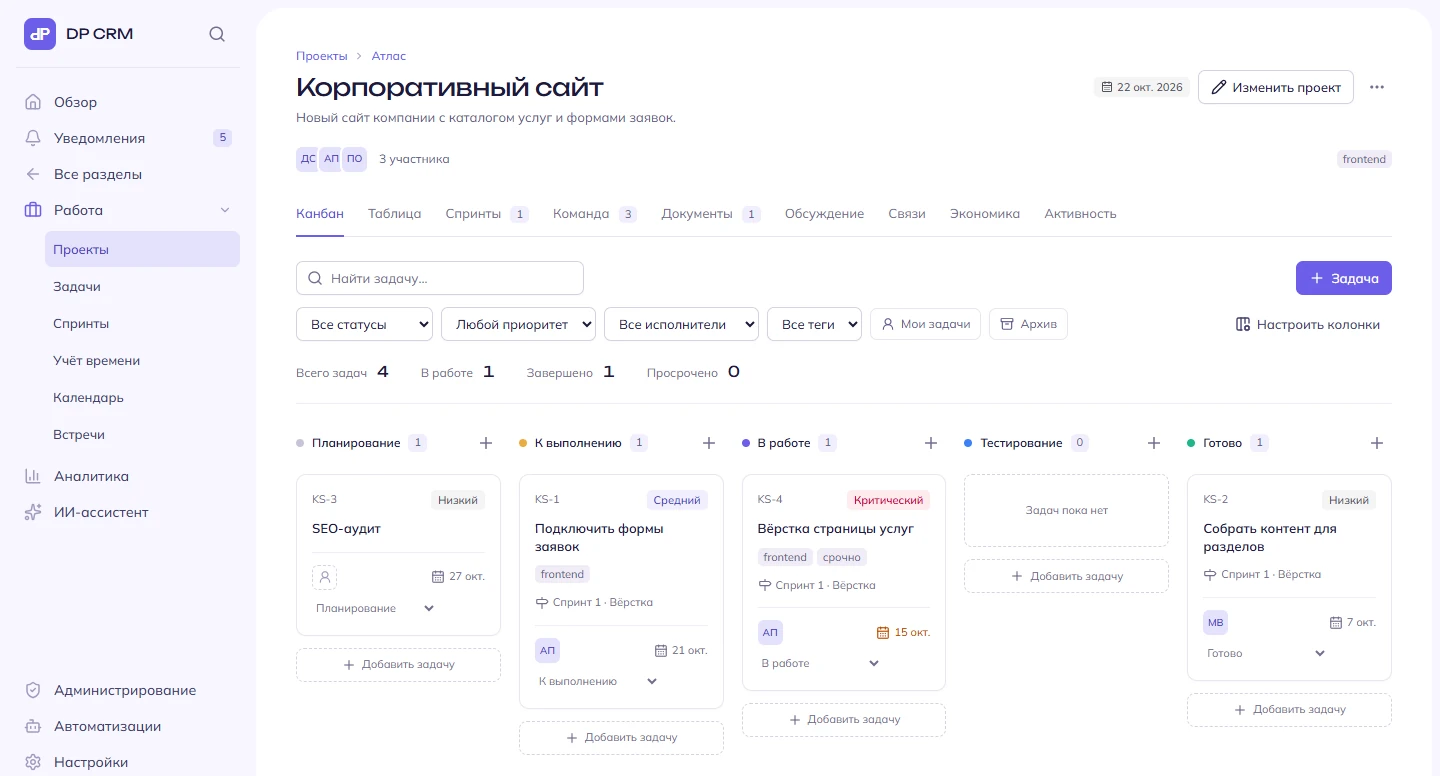
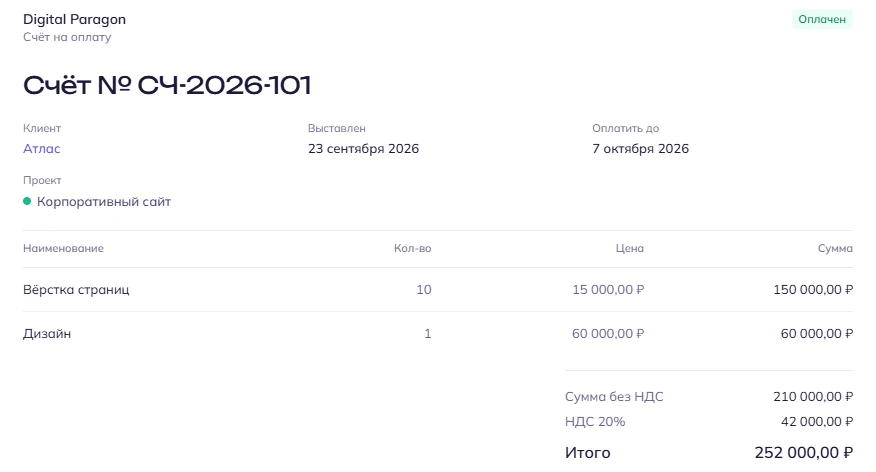
Screenshots were taken in a test company; all data in them is made up. The interface is also available in English.
We walk you through the system on demo data: sales and documents, projects, support — whatever matters to you.
We create your company in DP CRM and switch on the modules you need.
We import companies, contacts and deals from amoCRM, Bitrix24 or spreadsheets.
We'll give you a quote after the demo, based on your team size and the modules you need.